Inspection forms that stay real pages.
Fill checklists on the page at their true A4, A5 or US Letter shape, sign and lock them with Face ID or Touch ID, and export a PDF that matches the screen page for page. Works offline, with no account.
What it does
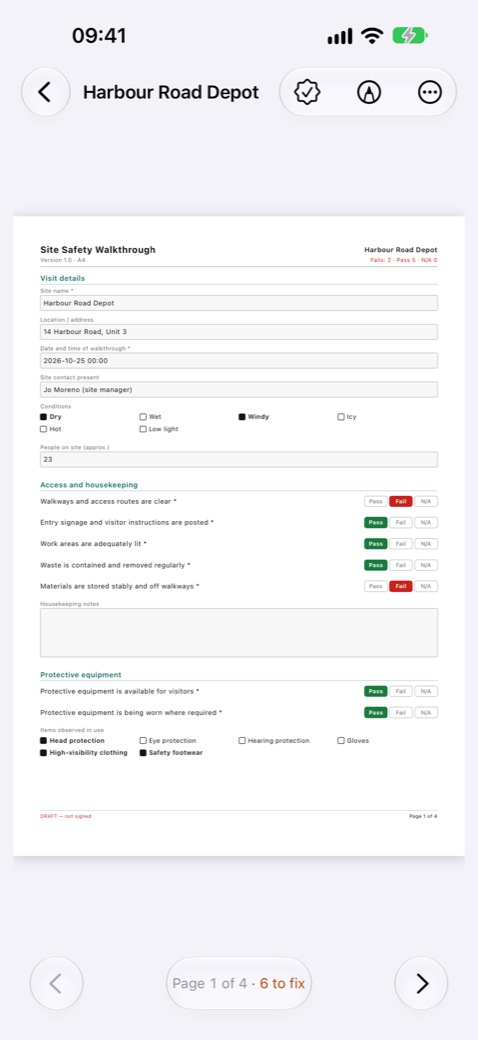
Fill it on the page
Text, numbers with units, dates, checkboxes, Pass / Fail / N/A, ratings, photos with captions and signatures. Conditional questions appear only when they apply, and long answers continue in an annex.
Complete, sign and lock
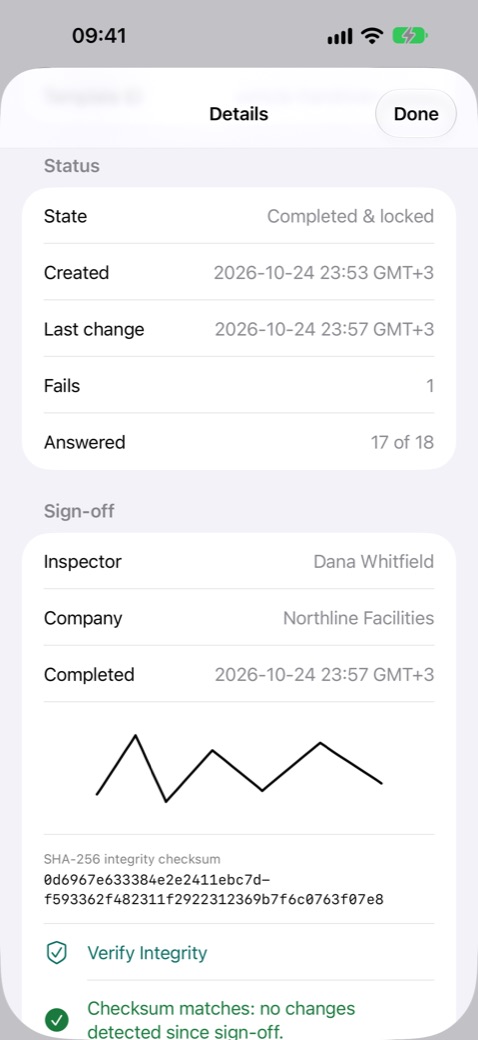
Complete & Sign checks every required field, then the inspector signs and confirms with Face ID, Touch ID or the passcode. The record is locked and gets an integrity checksum printed on every PDF page.
Write on the page
A red, blue or black pen and a highlighter. Notes stay with the field they were written on, on screen and in the PDF.
Export and organise
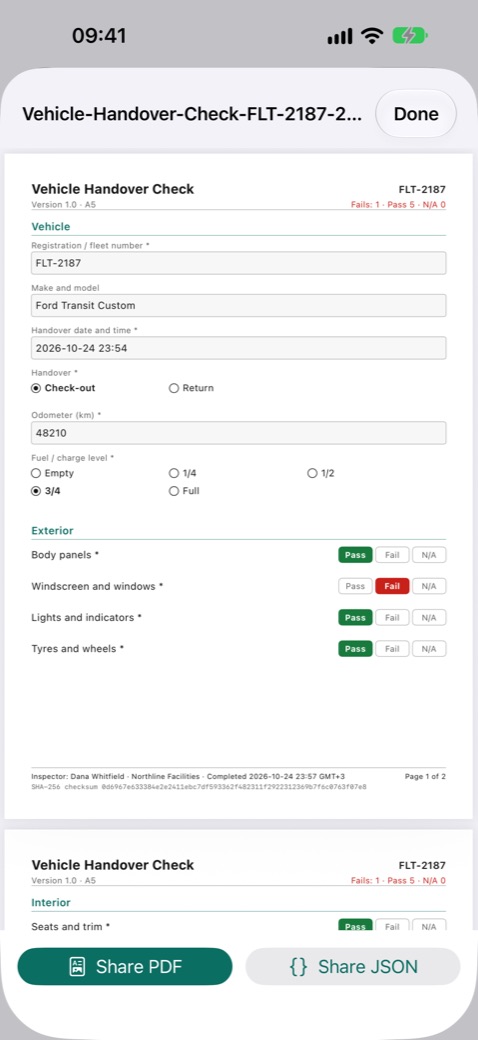
A PDF at the exact paper size, or JSON with every answer. Search drafts and completed forms, and duplicate a form to start the next inspection. Three templates are built in, and you can import your own.
Made for iPhone Duo
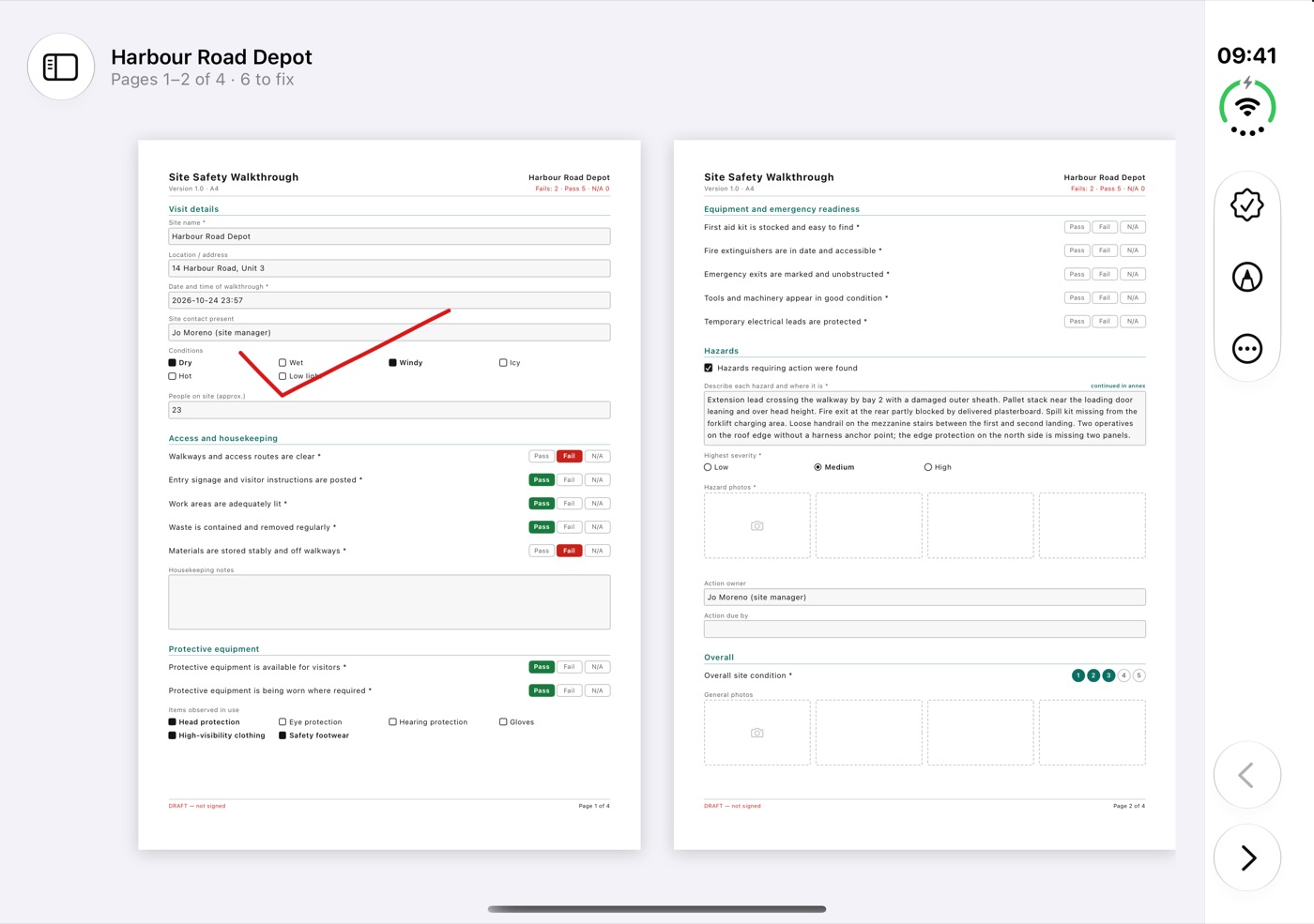
- Open: a two-page spread across the inner display, with the fold between the pages like a book.
- Closed: the outer display shows one page at a time and picks up on the page you were on.
- Closing iPhone Duo saves the open form at once.
Private
No in-app purchases, subscriptions, ads or accounts. Field Forms works offline and collects no data. Forms stay on your device, outside device backups, until you export them, so export the PDFs you need to keep.
Questions
Which devices does it run on?
iPhone and iPad with iOS or iPadOS 17 or later. On iPad, forms open as a two-page spread in landscape; on iPhone, one page at a time.
Can I use my own forms?
Yes: import your own templates as JSON files. Three are built in: Site Safety Walkthrough (A4), Construction Punch List (US Letter) and Vehicle Handover Check (A5).
More answers and contact details are on the support page.