Run combat at the table, for any RPG.
Initiative, hit points, conditions, dice, scenes and notes in one place on iPhone and iPad, with a players' view that shows only what players should see. On iPhone Duo it stands on the table like a real two-sided GM screen.
What it does
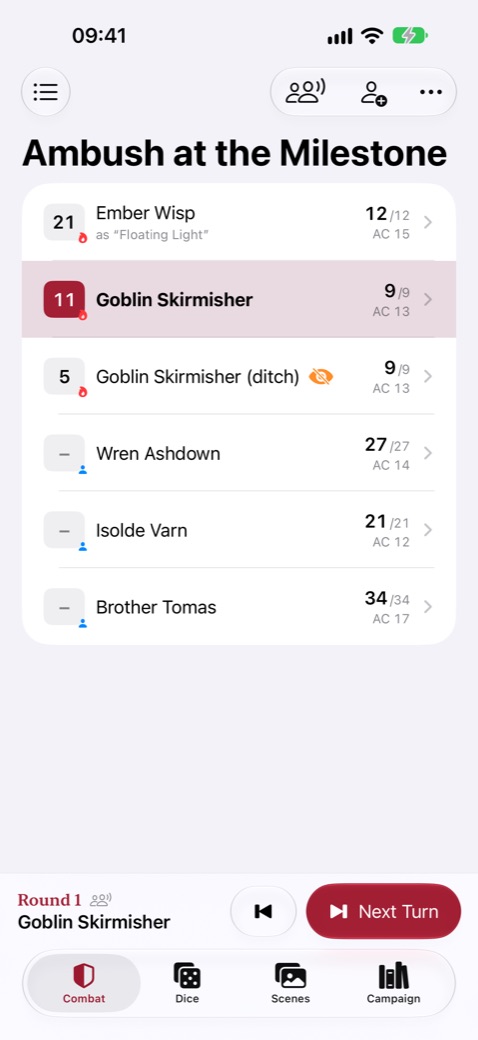
Initiative that keeps the right turn
Sorts by initiative and bonus, counts rounds and shows whose turn it is, even when you add or remove someone mid-fight. Damage, healing, temporary HP, and conditions that tick at the start or end of a turn.
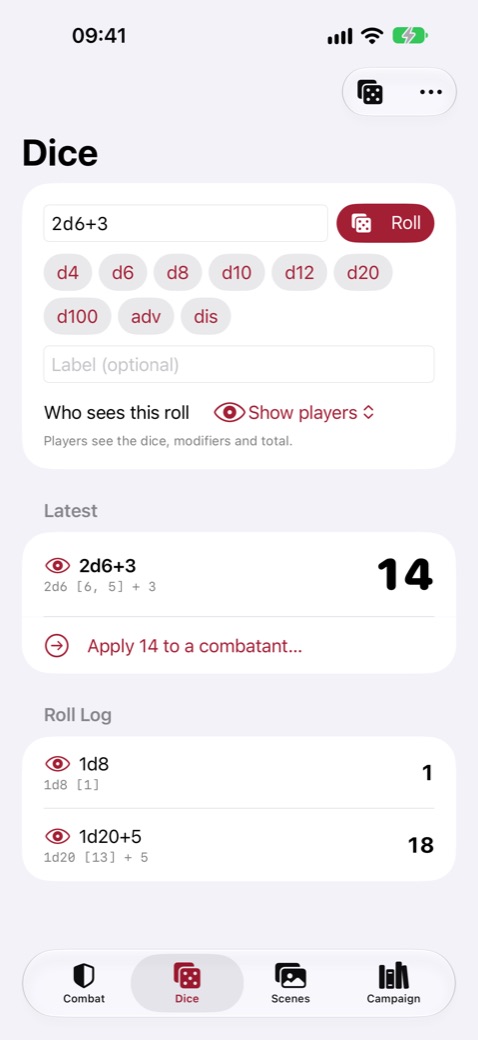
Dice, digital or physical
Standard notation such as 2d6+3, 1d20 adv or 4d6kh3, secret or shared rolls, and a quick way to record the physical dice you rolled and apply the total.
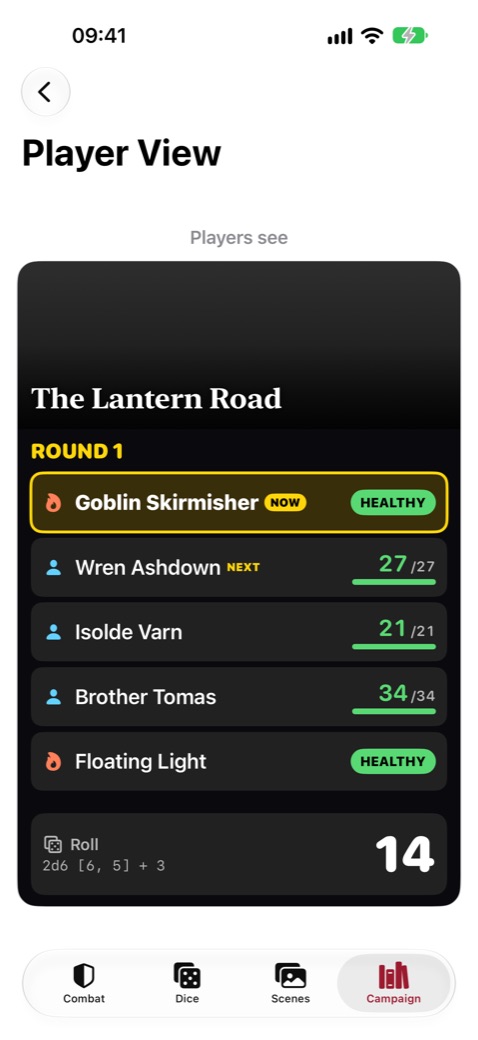
Only what players should see
Player Display sends the scene, initiative order, health bands and shared rolls to another iPhone or iPad at your table over Wi-Fi or Bluetooth. Stat blocks, notes and secret rolls never leave your device.
Prepare and present
Campaigns, sessions, encounters and a scene library with your own images and GM notes. Reveal a scene when the moment comes, and export a campaign as one file.
Made for iPhone Duo
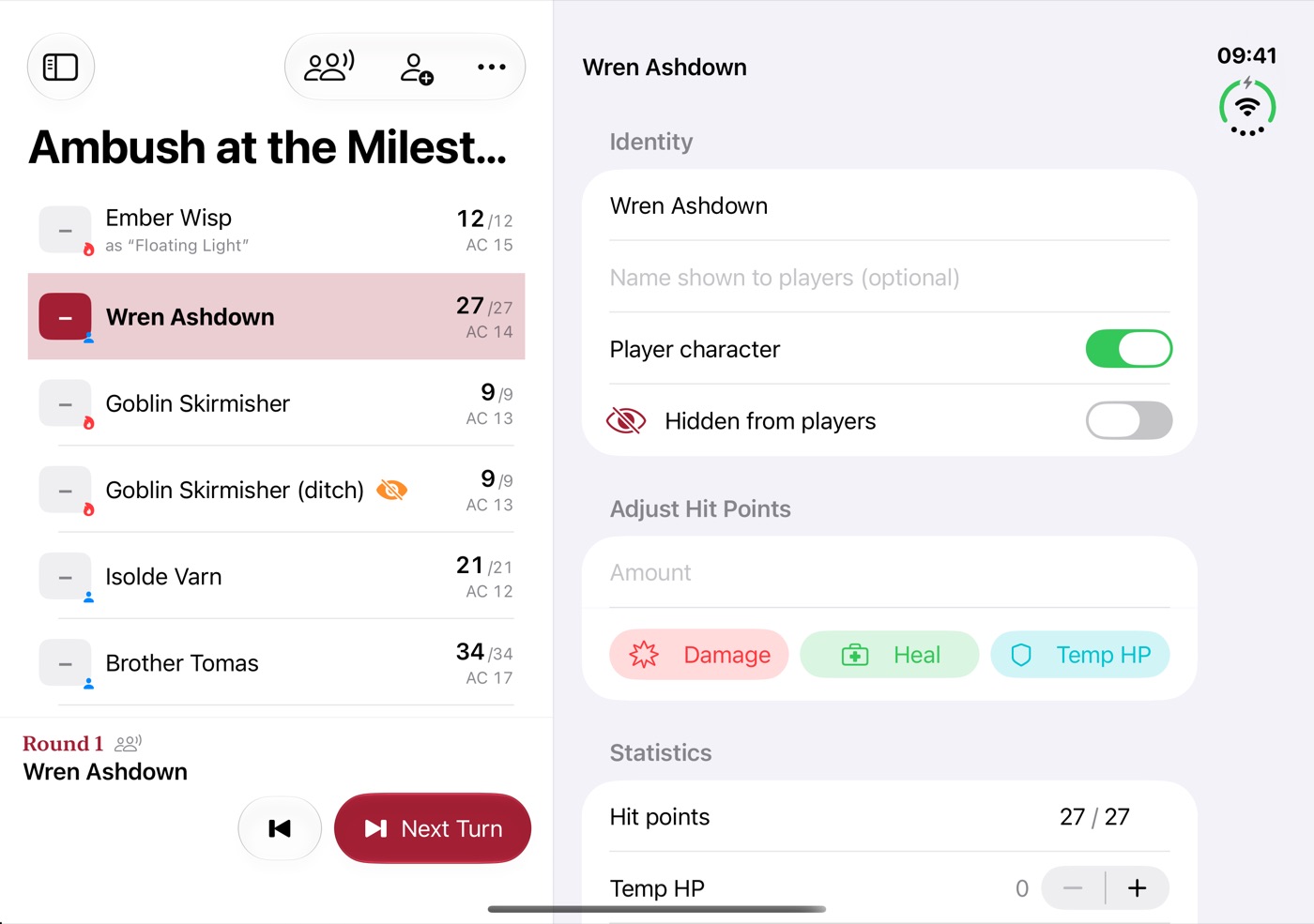
- Stand the open iPhone Duo on the table. In Table Mode the outer display faces the players and shows the scene, initiative order, public health and the last shared roll.
- The inner display keeps your secrets, stat blocks and turn controls.
- Closing iPhone Duo saves your campaigns at once.
Private
No in-app purchases, subscriptions, ads or accounts. GM Screen collects no data, and your campaigns stay on your device.
Questions
Which devices does it run on?
iPhone and iPad with iOS or iPadOS 17 or later. You don't need an iPhone Duo: everything except the outer display works on every iPhone and iPad.
Which game systems does it support?
Any. GM Screen ships no rules text from published games; the starter campaign and its foes are original.
More answers and contact details are on the support page.